To create the HURT app icon on your iPhone or Android phone, please follow these instructions.
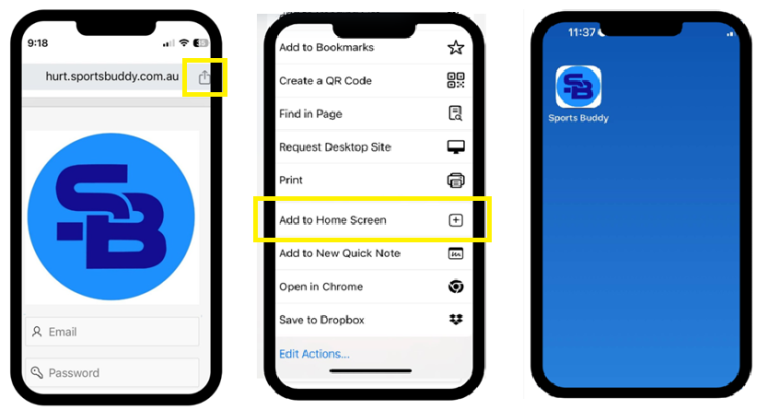
If you are using Chrome:
Once at the homepage prior to logging in, click on the “Share Icon” and scroll down and select “Add to Home Screen” once you have selected this, the Sports Buddy icon will appear on your device.
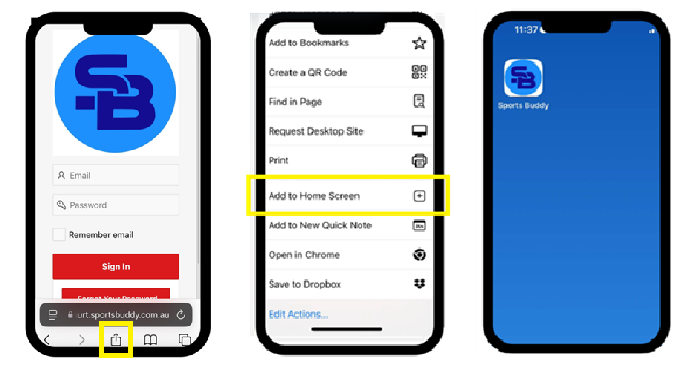
If you are using Safari on an iPhone
Once at the homepage prior to logging in, click on the “Share Icon” this is located at the bottom of the screen. After selecting the icon scroll down and select “Add to Home Screen” once you have selected this, the Sports Buddy icon will appear on your device.
We hope you find this tip helpful.
Have a great weekend ahead.