How To Add Trainers/Medics
- To create/manage users select Setup –> Users fromt the dashboard.
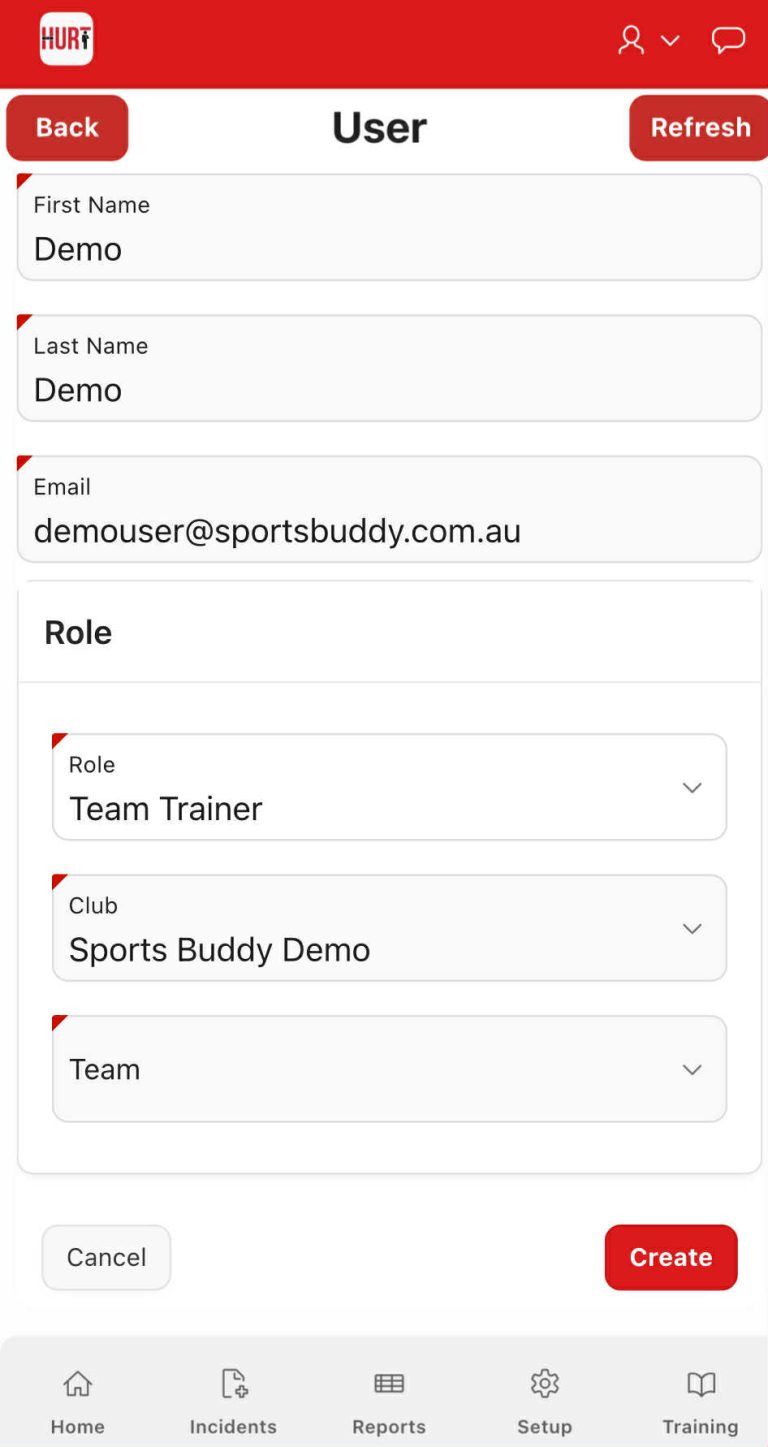
- Click on create user and follow the provide the Trainers/Medics details as shown in the image below.
- Please select the Team the Trainer/Medic is associated to.
- Note: If no teams exist, it means the teams have not been included in the load. This will need to be addressed prior to continuing.
- You are able to assign a Trainer/Medic to multiple teams if required.
- Once users have been created, an automatic welcome email will be sent with login and training information to each Trainer.